By Sheru Bhai Studio · Updated
6 prompts · scene and style referencesSheru Bhai prompt guide
Copy a full prompt into your image generator and set the aspect ratio shown on the card. For a selfie or a photo edit, attach a reference photo in a generator that accepts image uploads.
The images show the scene or style to aim for. These prompts are starting points, and results will vary with your generator and reference photo.
How to use a Sheru Bhai photo prompt
- Choose a scene and copy its complete prompt.
- Paste it into your image generator and select the card’s aspect ratio. Upload a clear photo for the selfie or lion edit.
- Generate a version, check the face and framing, then change one detail at a time. Use the tips on each card to refine it.
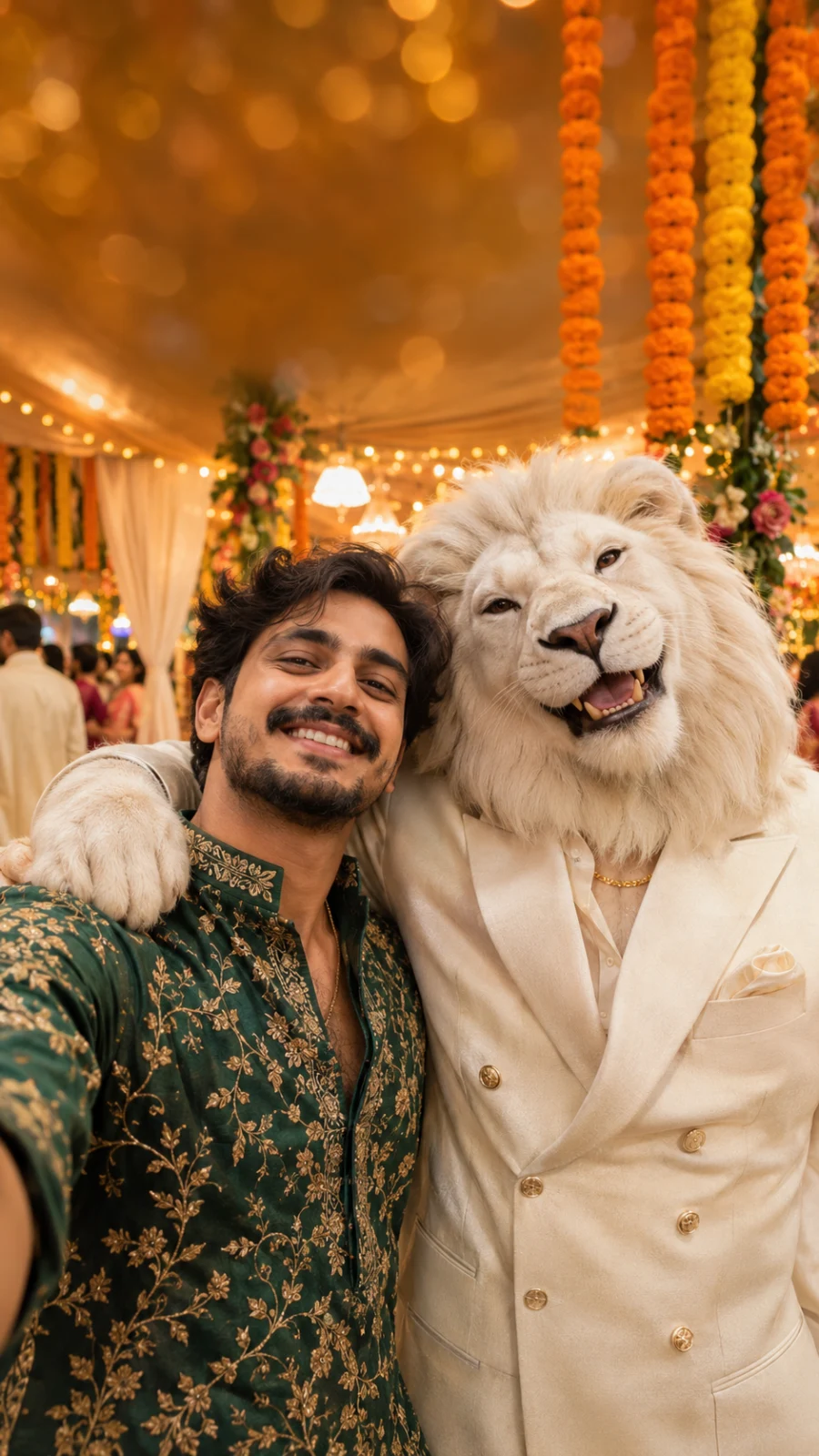
A fictional wedding selfie. Your uploaded photo supplies the face for your own version.
View wallpaper and downloadTake a wedding selfie with Sheru Bhai
Generate at 9:16Use my reference selfie to keep my face and hairstyle recognizable. Dress me in a dark green kurta with gold embroidery and show me taking a vertical phone selfie beside a fictional white lion in a tailored ivory suit. Set the scene at an Indian wedding, with strings of orange marigolds and warm lights behind us. Bring our shoulders close together, with the lion’s paw resting on my shoulder, and keep both faces sharp as if I took the picture at arm’s length. Leave room above the lion’s mane and keep the frame free of text and logos. Use a 9:16 crop.
- Attach a clear selfie so the generator has a face to work from.
- If the faces feel crowded, ask for a slightly wider frame before changing the pose.
Portrait and wallpaper prompts
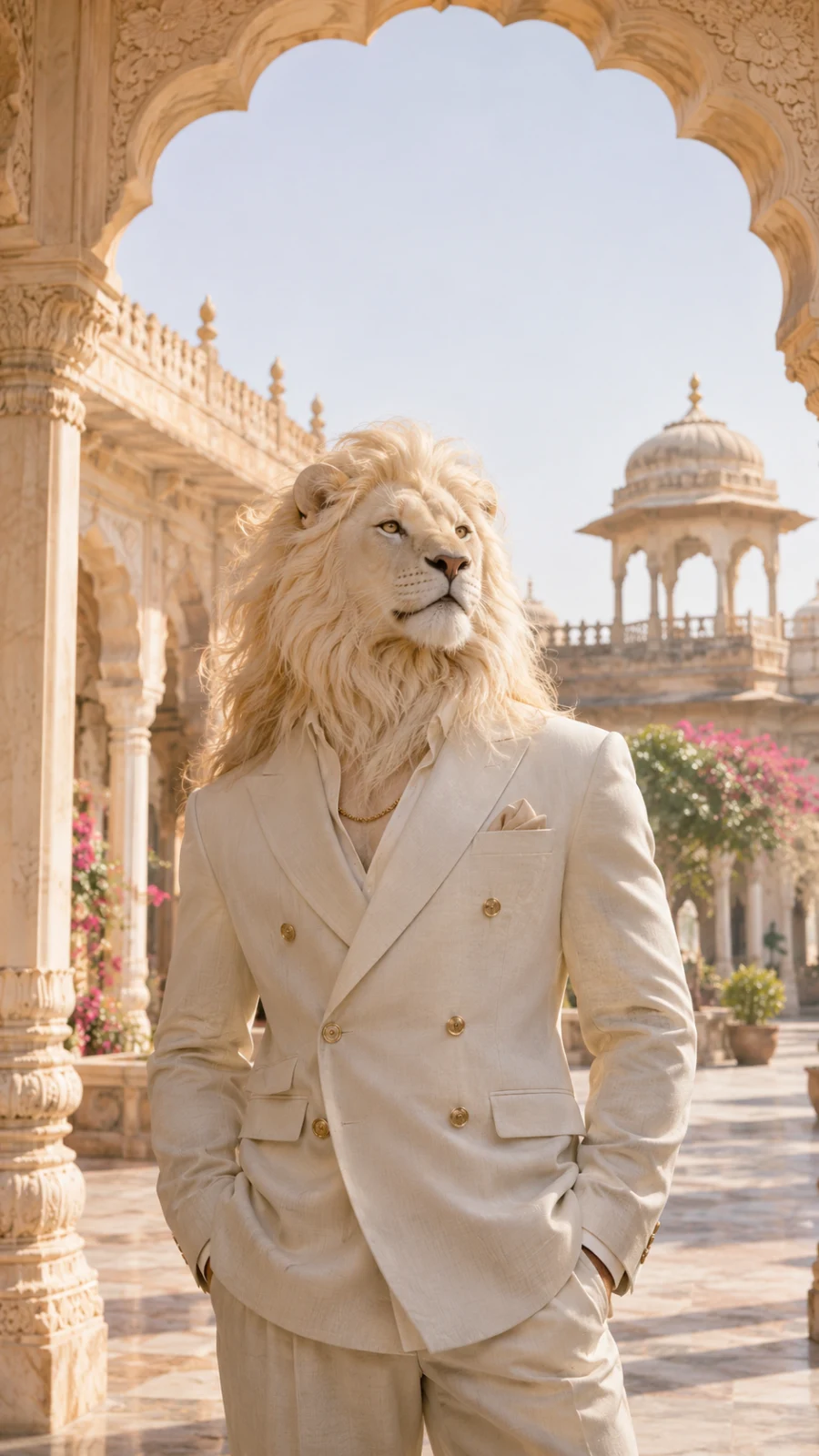
Ivory tailoring and a carved sandstone arch, with warm daylight separating the mane from the suit.
View wallpaper and downloadMake a white lion portrait
Generate at 9:16Make a vertical fashion portrait of a fictional white lion standing upright beneath a carved sandstone arch in an Indian palace courtyard. Dress him in a double-breasted ivory suit with gold buttons and a fine gold chain, with his hands in his pockets. Turn his head slightly to one side. Show a domed pavilion and pink flowers in the background. Use warm morning light so the white mane and ivory jacket stay distinct. Frame him from the thighs up, with space above the mane to show the arch. Keep the stone and fur textures visible and leave out text and logos. Use a 9:16 crop.
- If the white fur and jacket blend together, ask for gentle shadows along the lapels.
- For a closer portrait, crop at the waist and keep one arch visible behind the lion.
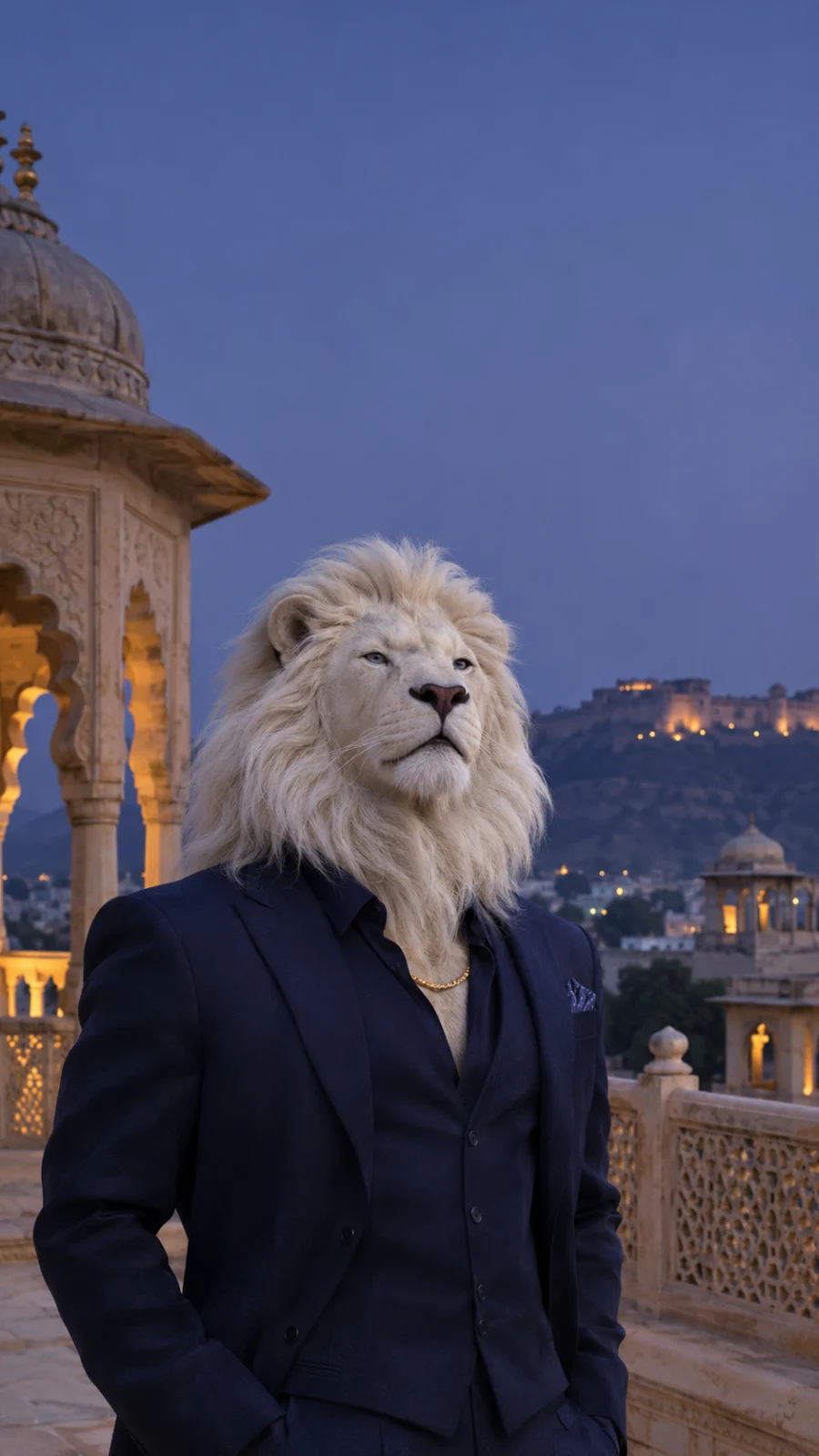
A white mane, a navy suit and open blue sky make this a useful starting point for a lock screen.
View wallpaper and downloadMake a palace terrace phone wallpaper
Generate at 9:16Create a vertical phone wallpaper of a fictional white lion in a tailored navy suit with a fine gold chain on an Indian palace terrace at dusk. Show a carved sandstone balustrade, an illuminated pavilion and a blue evening sky, with warm palace lights in the background. Frame the lion from the thighs up and place his face below the middle of the image. Leave the top of the sky quiet and open for a lock screen clock. Keep the white mane and navy lapels distinct. Use a 9:16 crop and leave out text, logos, and interface elements.
- Preview the image on your phone and lower the lion if the clock overlaps the mane.
- If the navy suit disappears into the shadows, ask for a little warm light on the lapels.
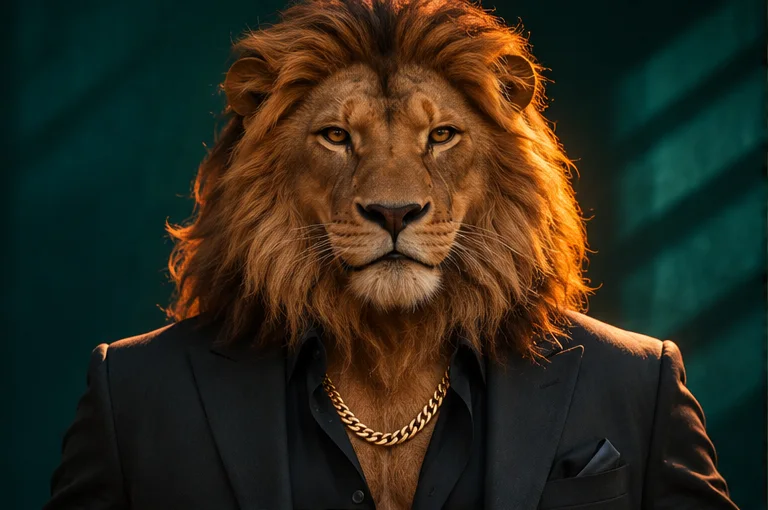
Warm light outlines the mane against teal. The reference file is 768 × 510 px; choose 3:2 for your own version.
Try the black suit studio portrait
Generate at 3:2Take a chest-up studio portrait of a fictional lion with a full tawny mane and amber eyes. Dress him in a black suit with an open collar and a single gold chain. Have him face the camera against a dark teal backdrop. Light one side of the mane with a warm amber glow and keep the face evenly lit so the eyes and fur are clear. Use a horizontal 3:2 crop with no text or logos.
- Ask for a thin strip of warm light on the mane if it blends into the backdrop.
- Move the chain above the collar in the prompt if it gets lost against the shirt.
Photo edits and avatars
Both prompts borrow the dark teal backdrop and warm light from the studio portrait. Use a reference photo for the edit, or start with the avatar prompt if you just want a profile picture.
This existing studio portrait illustrates the fur, suit and lighting. It is not a before-and-after result or an edit of an uploaded photo. Generate your own 4:5 version with the prompt below.
Turn yourself into a lion
Generate at 4:5Edit the person in my reference photo into a fictional lion character with tawny fur, a full mane, and amber eyes. Keep my pose, the direction I’m looking, and the camera angle from the original photo. Dress me in a tailored black jacket with an open collar and one gold chain. Use a dark teal studio background and light the edge of the mane with a warm glow. Give me a little extra room above the mane in a vertical 4:5 portrait. Leave out text and logos.
- Start with a photo that shows your shoulders and leaves space above your head.
- To keep your original outfit, replace the jacket and chain sentence with “Keep the clothes from my reference photo.”
This landscape studio portrait illustrates the look. The square avatar is a variation to generate yourself; no separate avatar result is shown.
Make a Sheru Bhai avatar
Generate at 1:1Create a square profile picture of a fictional lion with a tawny mane in a black suit against a plain teal background. Have him look straight into the camera. Include just enough of the shoulders to show the suit and a hint of the gold chain. Keep both eyes, the ears, and the muzzle near the center so they stay visible in a circular crop. Use soft front light and a touch of warm light on the mane. Leave out text and logos and use a 1:1 crop.
- Check the result at profile picture size and in a circle before saving it.
- If the face is too small at thumbnail size, crop in slightly while keeping both ears visible.